


Toddler Games for 2+ year olds
4.41.44K Reviews
App Specs
- Version
- 1.128
- Updated On
- License
- Free
- Downloads
- 10,000,000+
- Developer
- Bimi Boo Kids Learning Games for Toddlers FZ-LLC
- Categories
- Educational
- Platform
- Android, iOS
Screenshots
 Analysis by AppCompare
Hey there, fellow parents and guardians! If you're on the hunt for some engaging and educational fun for your little ones, you might want to take a peek at Toddler Games for 2+ year olds. Trust me, as someone who's spent countless hours navigating the world of toddler apps, this one is a gem worth exploring. Let’s dive in and see what makes this app stand out in the sea of digital entertainment for kids.
What you get before spending anything
The first practical question is whether trying this game requires a purchase. It is free to install, while optional in-app purchases range from $0.99 to $5.99 per item. I’d treat that as a useful distinction: you can consider the app without paying upfront, but the free label does not mean every part of the experience is necessarily included at no cost. If you are deciding for a child, check what is available in the version you install before assuming the full collection is unlocked.
That pricing setup makes this easier to test than a paid app with a charge before you know whether your toddler likes the activities. It also calls for a little parent involvement: explore the available games yourself first, and make any purchase decisions deliberately rather than handing over the device and hoping every choice is obvious. I would not judge value by the number of activities alone; the better question is whether the child returns to them willingly and whether the play suits your family’s routine.
Why Choose Toddler Games?
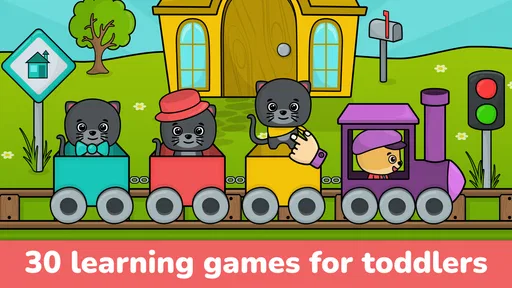
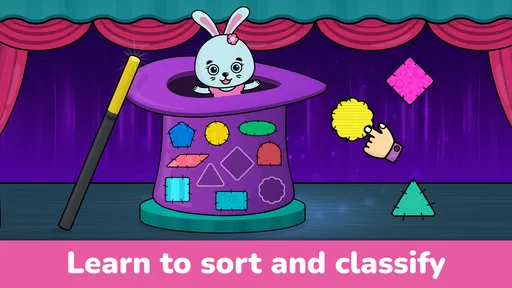
First off, let's talk about what makes Toddler Games for 2+ year olds a go-to option. This app is all about blending learning with play, which is a major win in my book. It offers a variety of mini-games that are not only colorful and fun but also educational. The app covers basics like numbers, shapes, colors, and even some animal recognition. It’s like having a mini preschool right in your pocket!
The game is an educational title from Bimi Boo Kids Learning Games for Toddlers FZ-LLC. It has an Everyone content rating, and its age-oriented title makes its intended audience clear, though a two-year-old’s attention span and coordination can vary a lot. I would stay nearby at first: not to turn play into a lesson, but to see which prompts make sense to your child and where they need a little help. A toddler who is still learning to tap accurately may need a slower introduction than a preschooler who already uses a tablet confidently.
Interactive Learning Experience
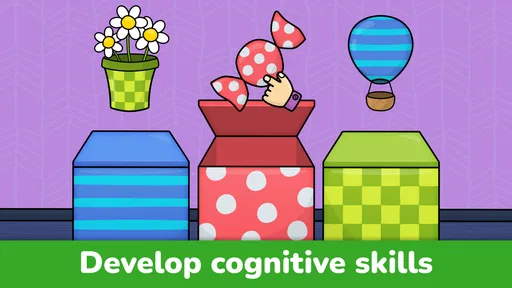
One of the things I love most about this app is its interactivity. The developers have clearly put a lot of thought into making sure that kids are not just passive observers but active participants. Each game is designed to prompt children to think, swipe, and tap, which is great for developing their motor skills and cognitive abilities. Plus, the cheerful animations and sounds keep them engaged for longer periods.
A useful way to get more from that interaction is to let your child try before stepping in. If they tap the wrong place or pause, give them a moment to work out what the screen is asking. Then, if they need help, describe the action in simple words instead of taking the device and completing it for them. That small change turns a short game into a chance to practise listening, choosing, and coordinating a finger with an idea. It also helps you see whether the activity is comfortably challenging or simply confusing.
Worth Reading Before You Choose

Baby Panda World Brings Quick Play to Modern Phones, but Its Game Library Feels Busy

ESPN’s Live Game View Makes Following Close Games Easier

QuizzLand Review: A Good Fit for Short Trivia Breaks, Not Every Player

Basketball Stars: Multiplayer Is Fast, but Can It Recover When Matches Go Wrong?

WEBTOON Turns Phone Updates Into a Better Reading Routine

Link to Windows Runs on Shared Habits, Not Social Feeds
Easy Navigation for Little Fingers
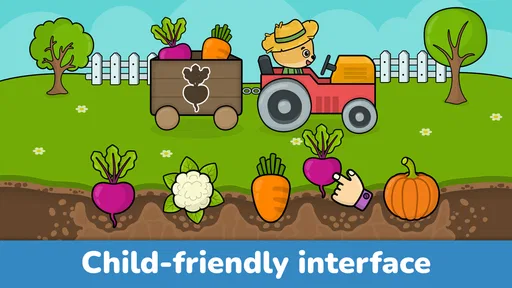
Let’s face it, toddlers are not exactly tech-savvy. Fortunately, the app’s interface is super intuitive, with large buttons and simple navigation that even the tiniest hands can manage. This means less frustration for your kids and more time for you to enjoy that cup of coffee while they’re happily occupied.
Still, I would not assume that a child can safely navigate every screen alone just because the play controls feel straightforward. Set up the game together, show how to return to an activity, and watch what happens when your toddler makes an unexpected tap. A brief trial on the device your child will actually use is more informative than guessing from the age label: screen size, grip, and touch accuracy all affect whether those controls feel manageable.
Vibrant Graphics and Sounds
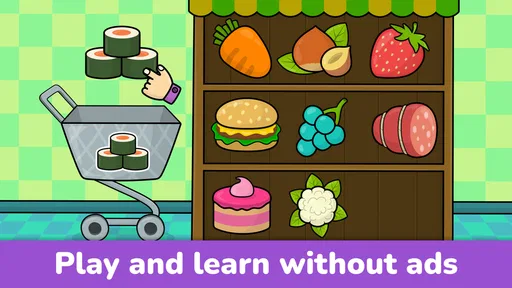
Visual and auditory stimulation is crucial for toddlers, and this app nails it. The vibrant graphics are sure to catch your child's eye, and the upbeat music and sound effects add an extra layer of fun. It’s like a tiny carnival on your phone! And if you ever find the sounds too overwhelming, there’s always an option to adjust the volume or mute it altogether.
For a calmer session, I’d lower the device volume before opening the game rather than waiting until a sound surprises a child. Muting can also make sense in a waiting room or during a quiet part of the day, though it changes the experience if a child relies on sound cues. I’d use the audio as a choice rather than a default: lively play can suit a noisy afternoon at home, while a quieter setting may work better when the goal is a short, settled activity.
Safe and Ad-free Environment
In today’s digital age, ensuring that your kids are in a safe online environment is crucial. Thankfully, Toddler Games for 2+ year olds is ad-free, which means your kiddos can play without accidentally clicking on something they shouldn't. Plus, the app doesn’t require any internet connection once it’s downloaded, so you can take it on the go without worrying about Wi-Fi or data usage.
Offline access is particularly handy for a familiar, low-preparation activity during a journey or a wait, once the game has been downloaded. I would still set up the device before leaving home and check that the child can reach the intended activity without wandering into settings or purchase screens. Ad-free play removes one common distraction, but it does not replace ordinary supervision, especially when a young child is exploring a device that also contains other apps.
Endless Variety
One of the best things about this app is the variety it offers. With numerous games to choose from, your child is less likely to get bored. Whether they’re in the mood for a shape-matching game or a color-sorting challenge, there’s something for every curious mind. This variety encourages kids to explore different skills and concepts, keeping their learning dynamic and exciting.
The variety is most useful when you treat it as a small menu, not a reason to keep switching constantly. I’d offer one activity at a time and let a child finish or lose interest before moving to another. That makes it easier to notice what they gravitate toward: matching, sorting, or identifying familiar things. It can also reveal when an activity is too easy or too demanding, without turning the session into a test. If the child keeps returning to one game, repetition can be more valuable than pushing them through every option.
User-Friendly Parent Controls
As a parent, having control over the app settings is a huge plus. The app allows you to set time limits, monitor your child’s progress, and even customize the game difficulty. This ensures that your child gets the most out of their screen time and that it aligns with their learning pace.
I’d use those controls with a light touch. A time limit can help mark the end of a session, but it works best when you give a toddler a simple warning before play stops, rather than ending abruptly in the middle of an activity. Progress information can be a prompt for conversation, not a scorecard: ask what they liked or invite them to name a shape they noticed. Adjusting difficulty, where available, is most useful when a child is repeatedly stuck or breezing through prompts; there is little benefit in making every moment feel like a performance check.
How it fits into a real day
Picture a short wait while you are trying to keep a toddler settled: you can open the game, choose one familiar activity, and stay close enough to help if a prompt is unclear. That is a more realistic use than expecting an app to occupy a child for a long stretch. At home, I’d also use it as a brief change of pace after a hands-on activity, then connect the screen task to something nearby: sort a few toys by color, point out a shape, or talk about an animal the child recognizes. The digital activity can provide a starting point, but the conversation and play around it are what make the idea feel relevant beyond the screen.
For families comparing options, this sits closer to a collection of short, touch-led learning games than to a video app or an open-ended creative tool. Compared with passive cartoons, it asks the child to respond; compared with physical puzzles, it is easier to carry and can offer several kinds of prompts in one place. The trade-off is that a screen cannot replace handling real objects, drawing, or talking together. I see it as a convenient supplement for a particular moment, not a substitute for those activities or for an adult’s attention.
Who is likely to get the most from it
I’d consider this a good fit for a family looking for simple early-learning play that a young child can explore with an adult nearby. It may also suit a caregiver who wants an offline option for travel or waiting, and a preschooler who enjoys repeating visual matching and recognition tasks. The game has a 4.4 average from around 62,000 ratings, and it has been installed over 10 million times; those figures suggest a broad audience, but they do not tell you whether its particular activities will suit your child. The most useful test is still whether your own child understands the prompts and wants to return without becoming frustrated.
I’d skip it if you are looking for a deep curriculum, long-form lessons, or a replacement for guided teaching. It is also not the best choice when your child is already tired, easily overstimulated by bright screens, or likely to tap through without engaging; in those moments, a book, blocks, or a quiet conversation may be a better fit. Adults who want a fully hands-off babysitter should look elsewhere too. Simple controls can reduce friction, but toddlers still benefit from a nearby grown-up who can help them pause, switch activities, or stop.
What to know before installing
The game was released on March 25, 2016, and its current version is 1.125. It requires Android 7.0 or later, so an older Android device may not be compatible. Those details matter most if you are setting it up on a hand-me-down tablet or an older phone; check the operating system before planning to rely on it for a trip. For iOS, I’d check the compatible device details in the relevant store before downloading rather than assume the Android requirement applies there.
It is also worth setting expectations about learning. Activities involving numbers, colors, shapes, and animals can encourage recognition and basic interaction, but a toddler’s progress will depend on age, practice, and interest. I would not use successful taps as proof that a concept is mastered. Ask the child to find the same color in the room or point to a familiar animal in a book if you want to see whether the idea carries over into everyday life. That keeps the game playful while giving you a better sense of what they are noticing.
Value and final recommendation
At no upfront cost, this is easy to try, and the optional purchases give families a choice about spending rather than making a paid download the entry point. Since individual items cost from $0.99 to $5.99, I’d look at what your child actually uses before paying for anything. A purchase makes sense only if it adds activities your family will return to; if the available free play already holds your child’s interest, there is no need to spend just to make the app feel more complete. The developer, Bimi Boo Kids Learning Games for Toddlers FZ-LLC, focuses this title on young children, and the Everyone rating makes its intended broad audience clear.
In conclusion, Toddler Games for 2+ year olds is a fantastic choice for parents looking to provide their kids with a fun yet educational digital experience. Its engaging games, user-friendly design, and educational focus make it a must-have app for your little one’s early learning journey. So, go ahead and give it a whirl – your toddler will thank you, and you might even get a few precious moments of peace!
Pros
- Engaging and colorful graphics.
- Simple controls for young kids.
- Wide variety of mini-games.
- Promotes learning and creativity.
- Safe
- ad-free environment.
Cons
- Limited content without purchase.
- May require constant supervision.
- Some games can be repetitive.
- Large app size for storage.
- Not suitable for older kids.
FAQs for Toddler Games for 2+ year olds
What age group is Toddler Games for 2+ year olds suitable for?
Toddler Games for 2+ year olds is specifically designed for children aged two and above. The app offers engaging and age-appropriate games that help develop basic skills such as hand-eye coordination, color recognition, and problem-solving. The content is crafted to ensure it is both educational and entertaining for young minds.
Are there any in-app purchases or ads in Toddler Games?
Yes, Toddler Games for 2+ year olds may include in-app purchases and ads. While the basic features are typically free, some additional content and ad-free experiences might require purchases. It’s advisable for parents to explore parental controls to manage these options and ensure a safe playing environment for their children.
Is an internet connection required to use Toddler Games?
No, an internet connection is not necessary for most of the games within the app once it is downloaded. This makes Toddler Games for 2+ year olds an ideal choice for entertaining children during travel or in areas without internet access. However, some features may need connectivity to download updates or additional content.
What educational benefits do Toddler Games offer?
Toddler Games for 2+ year olds are designed to enhance various developmental skills. The games promote cognitive development through puzzles and matching activities, improve fine motor skills with interactive play, and encourage creativity with drawing and coloring sections. They offer a balanced mix of fun and learning tailored to young children.
Is Toddler Games easy for children to navigate?
Yes, the app is designed with a user-friendly interface that is easy for toddlers to navigate. The simple controls and intuitive design allow young children to explore and play games with minimal assistance. Bright colors, clear instructions, and engaging animations ensure that kids remain interested and can use the app independently.


